A transcription and meeting-notes app for Mac — with no record button. Just leave Meemo AI running, and it automatically captures and organizes everything — the voices in your web meetings and the discussion in the room. It sorts records by meeting through calendar sync, and AI answers your summaries and questions with the context of related past sessions.
macOS 26 or later · Apple Silicon
Online meetings, in-person discussions, even a quick chat that isn't really a meeting at all. Just leave Meemo AI running on your Mac in the background, and it transcribes every conversation automatically and organizes it by meeting.
You never have to think about “saving” a conversation. Before you know it, everything you talked about today is here, neatly organized.
Captures the other side's audio and transcribes it automatically.
Picks up the room with the mic and records the discussion as-is.
It's already saved — before you even think to record.
It doesn't stop at transcription. A continuous log of your conversations powers your everyday work.
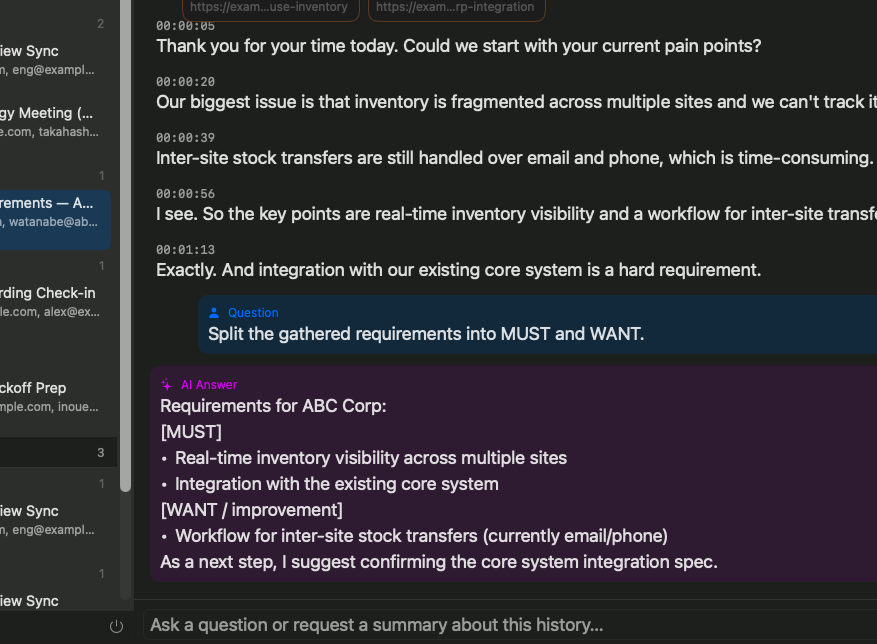
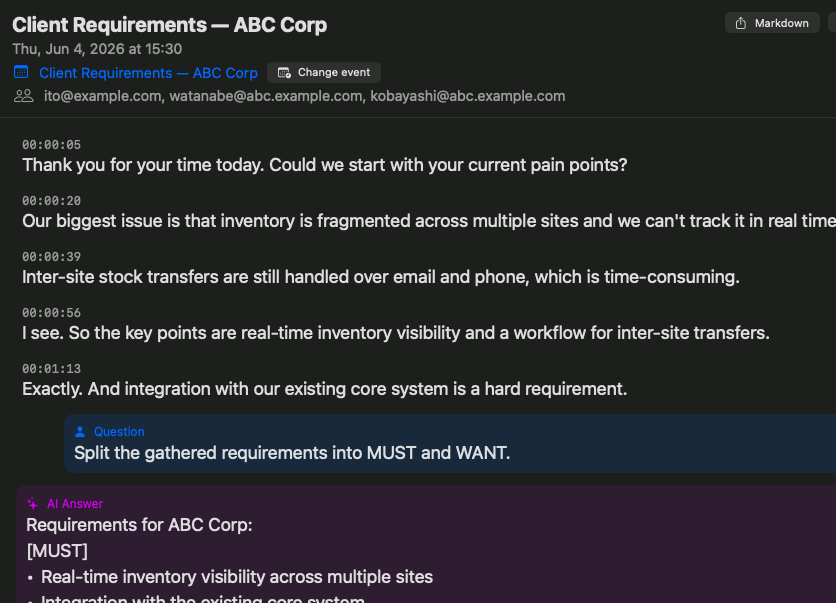
Built on the conversation log that's always running, ask AI to “summarize so far,” “what was the conclusion?,” or “pull out the to-dos” — all with full context. Transcription you actually use, not just look at.
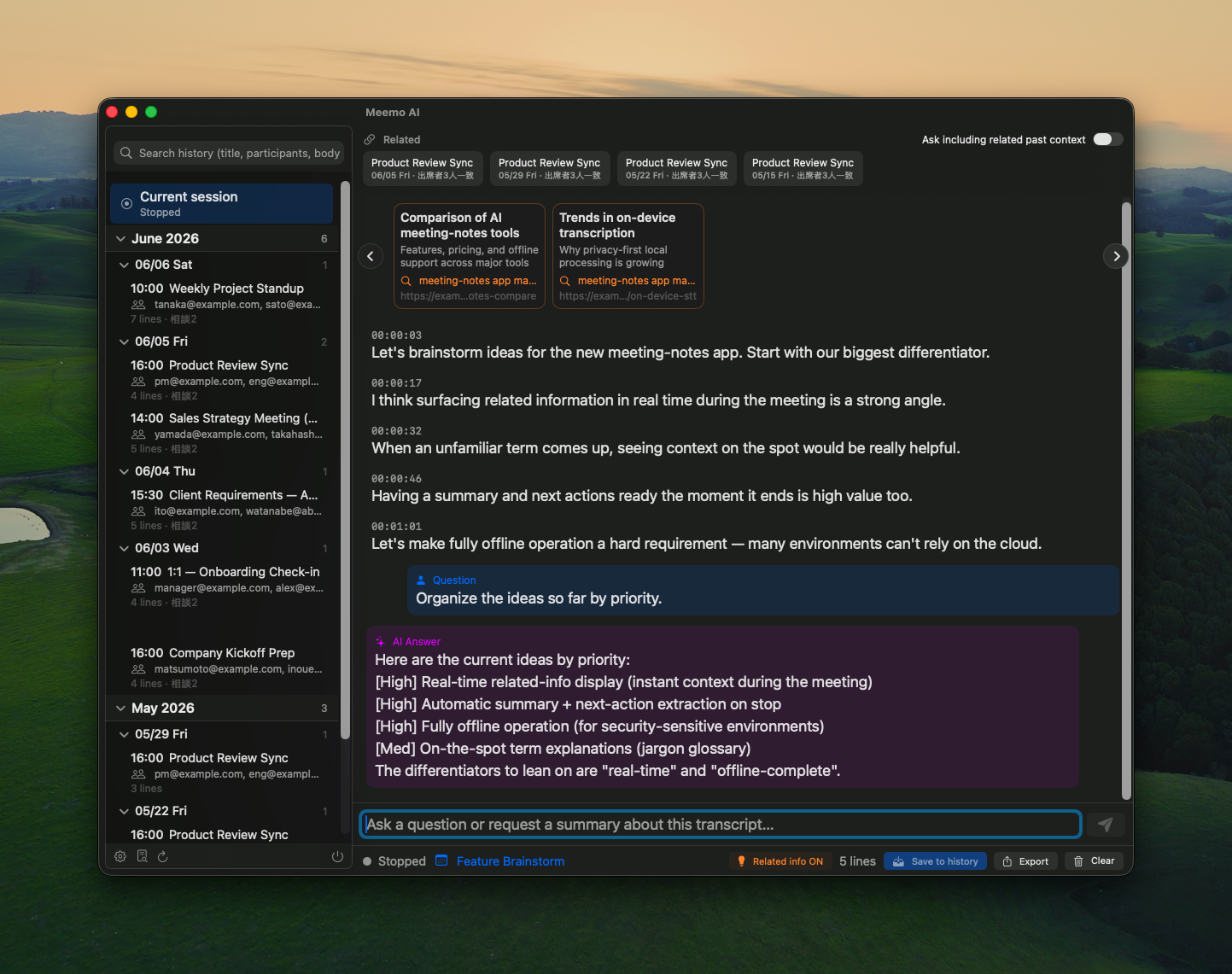
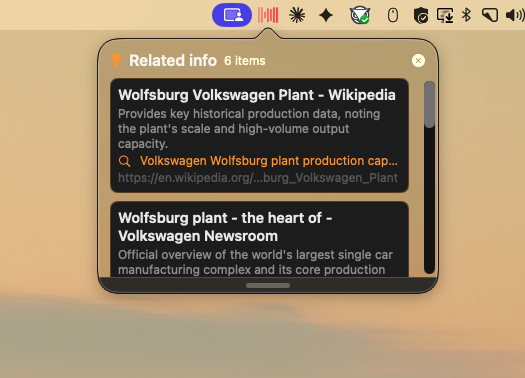
→ Transcription / on-the-spot AI chatLeveraging always-on transcription, AI reads what you're discussing right now and quietly suggests relevant reference pages beside the conversation. It gets ahead of “I'll look that up later.”
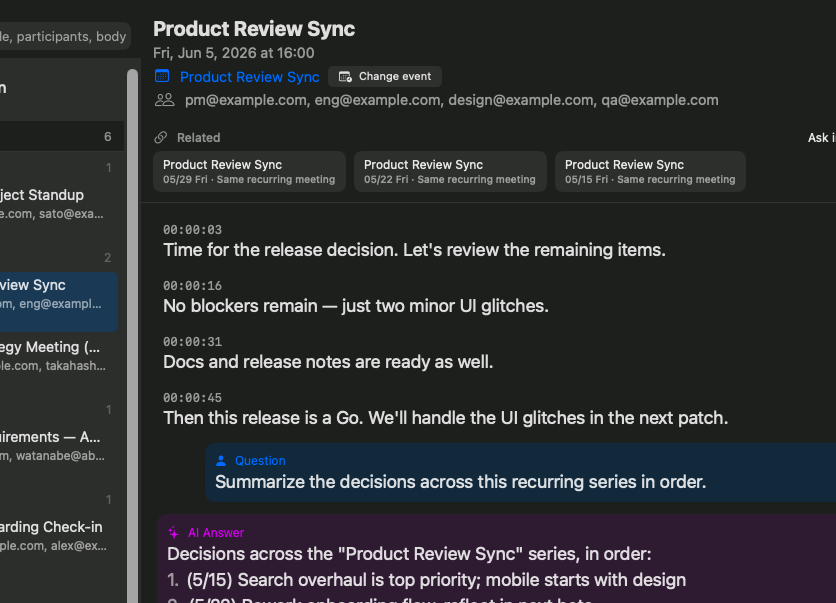
→ Related-info suggestionsSync with Google / Outlook to auto-sort conversations by event. Instantly pull up past logs of the same recurring or themed meeting, and AI answers with that context too.
→ Related past meetings / calendar syncTranscribes your mic plus the audio playing on your Mac (the other side of a web meeting, videos, and more).
Just type “summarize the key points in three” or “pull out the to-dos.” AI answers with the flow of the conversation in mind.
From recurring schedules, attendees, and similar meeting names, related past records are surfaced automatically as chips. Click to jump to that session.
AI reads the subject of your conversation, curates a few highly relevant results from web search, and drops them into the timeline as “💡 Related info” cards.
Sync Google Calendar / Outlook, and each time the event changes, the record is saved under that event's name and a new one begins.
AI fixes wording from context, prioritizing the company, product, and personal names you've registered in the glossary. Even jargon-heavy meetings stay readable.
Waits during silence and resumes automatically when it hears a voice (with pre-roll so nothing is clipped). Leave it on and only the parts that matter are kept.
Records are saved on-device. Audio is kept too, so you can replay to settle “who said what.” Export to Markdown for easy sharing.
Organizes speech by speaker so “this is the client's request” and “this is our action item” are clear at a glance. Coming in a future update.
Instantly organize key points and action items. Review the history before the next round.
Auto-links recurring schedules. Track what's changed since last time.
Transcribes the other side's audio too. Nothing said across the screen gets missed.
Speaker-separated records plus audio for accurate quoting later.
Listen along while related-info suggestions reinforce your understanding.
Transcribes the playing audio as-is. AI summarizes even long videos.
Choose your engine for both transcription and AI consultation. Keep everything on-device, and not a word of your conversation goes to the internet.
Set transcription to Whisper / Apple on-device and AI to Apple on-device or local (Ollama), and everything from recording to summary stays entirely on your Mac. A fully offline setup that never sends your conversation outside — use it to fit your company's rules.
Just leave it running. Turn today's conversations into records you can use.